The Best Coding Toys for Kids in 2026: STEM Robots and Games by Age
As an Amazon Associate I earn from qualifying purchases. It costs you nothing extra.
Your kid can already swipe through a tablet faster than you. Getting them to understand what happens inside it is harder. That’s the job of coding toys for kids: robots, board games and tiny computers that teach sequencing, loops and debugging while it still feels like play.
The catch is that these STEM toys have a short shelf life. I first wrote this list in 2019, and half of it is gone now. The Fisher-Price Kinderbot is off Mattel’s shop, Robot Turtles has no seller left on Amazon US, and the Code-a-Pillar and Sphero SPRK+ disappeared years ago. So for this update we checked every toy against the maker’s shop, Amazon US and recent reviews in October 2026. What’s left is 13 coding toys you can order today, sorted from preschool to teenager.
Quick picks:
- Best for preschoolers: Code & Go Robot Mouse Activity Set
- Best screen-free robot: Botley 2.0 Activity Set
- Best robot that grows with them: Sphero BOLT+
- Best budget pick: BBC micro:bit V2 Go (about 20 bucks)
- Best for kids who’d rather play games: Game Builder Garage
- Best for teens: Raspberry Pi 500 Desktop Kit
Coding Toys Compared
Prices are from the shop we link at the time of writing (October 2026) and change often, especially on Amazon.
| Toy | Ages | How kids code | Needs a screen? | Price |
|---|---|---|---|---|
| Code & Go Robot Mouse Activity Set | 4+ | Buttons on the mouse | No | about $41 |
| Sphero indi At-Home Learning Kit | Pre-K+ | Color tiles, app later | No (app optional) | about $100 |
| Botley 2.0 Activity Set | 5+ | Remote programmer | No | about $100 |
| Osmo Coding Starter Kit | 5–10 | Physical blocks + iPad | Yes (iPad) | $89.99–$99.99 |
| Wonder Workshop Dash | 5–14 | Drawing, blocks, JavaScript | Yes | about $180 |
| Ozobot Evo Entry Kit | 5–11 | Marker color codes, blocks | No (app optional) | $175 |
| Game Builder Garage | 8+ | Visual “Nodon” programming | Yes (Switch) | $29.99 |
| BBC micro:bit V2 Go | 8+ | Blocks, then Python | Yes (to program) | $19.95 |
| Snap Circuits Jr. SC-100 | 8+ | Snapping real circuits | No | about $33 |
| ThinkFun Hacker | 10+ | Logic puzzles | No | $34.99 |
| Sphero BOLT+ | Grades 3–10 | Drawing, blocks, JavaScript, Python | Yes | $199 |
| Makeblock mBot2 | 8+ | Blocks, then Python | Yes | about $128 |
| Raspberry Pi 500 Desktop Kit | 12+ | Scratch, Python, anything | Yes (a monitor) | $200 |
Ages 3 to 5: screen-free first steps
At this age, coding means “put the steps in the right order and see what happens”. Buttons, cards and tiles do that better than any app.
Code & Go Robot Mouse Activity Set – the Best Coding Toy for Preschoolers
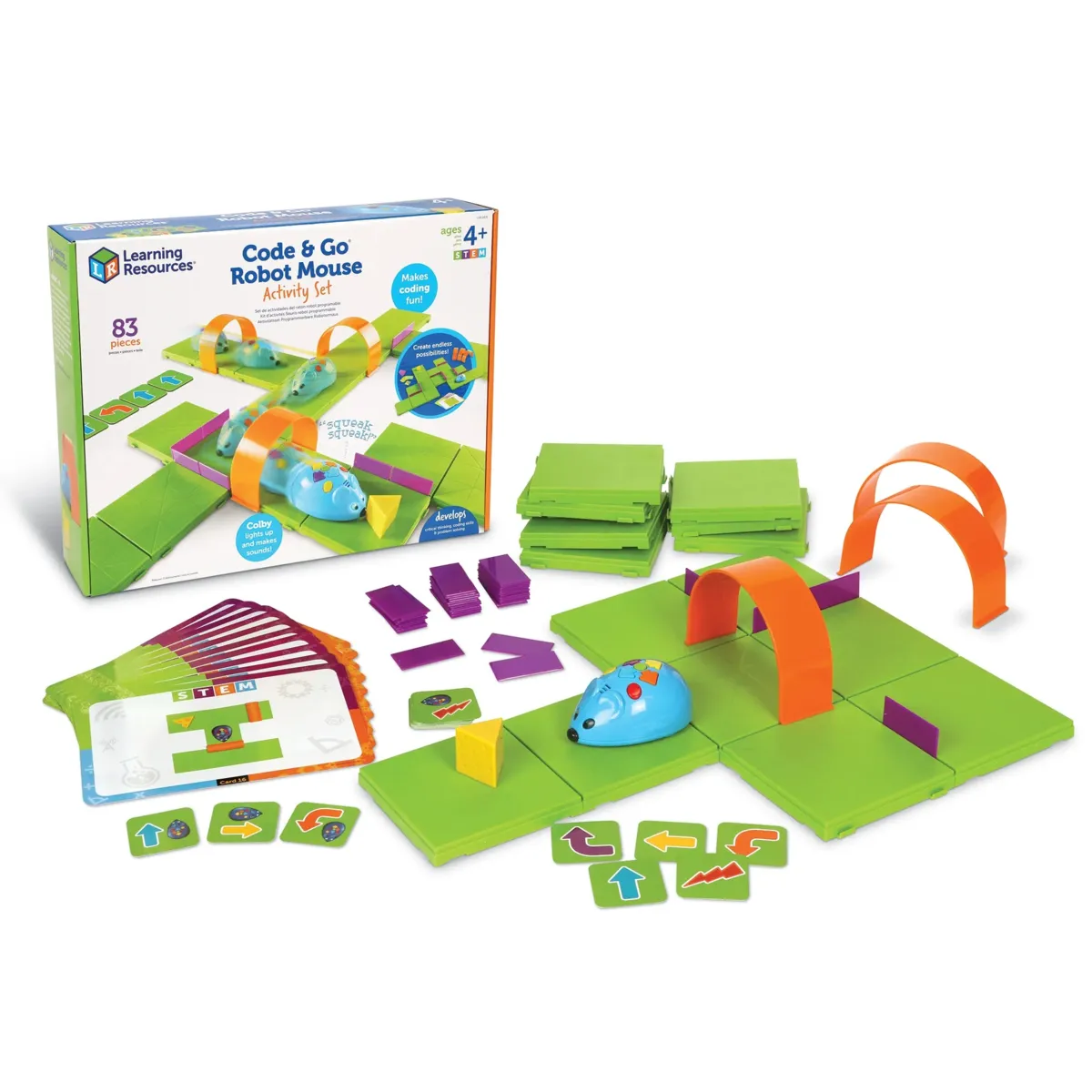
The Code & Go Robot Mouse Activity Set from Learning Resources is a screen-free coding toy for kids 4 and up. Kids build a maze, plan a route with the coding cards, and then program Colby the mouse with the arrow buttons on his back to find the cheese.
The set has 16 maze grids that make a 20 x 20 inch board, 22 maze walls, 3 tunnels, 30 coding cards, 10 activity cards and the cheese wedge. Colby lights up, makes sounds and has two speeds. It’s one of the easiest ways to show a small kid that the order of steps matters, and the cheese is a better motivator than any lesson plan.
Colby runs on three AAA batteries that aren’t included. Mumsnet’s reviewer also warns that pushing the mouse forward or backward by hand can break the axles inside, which is exactly what a four-year-old will do first. Learning Resources now sells a rechargeable version with a USB-C cable for about 90 bucks, but the original set was about 40 bucks on Amazon when we checked, which makes it the bargain here.
Get it for preschoolers and kindergartners who like building things on the floor.
Sphero indi – a Robot Car You Program with Color Tiles
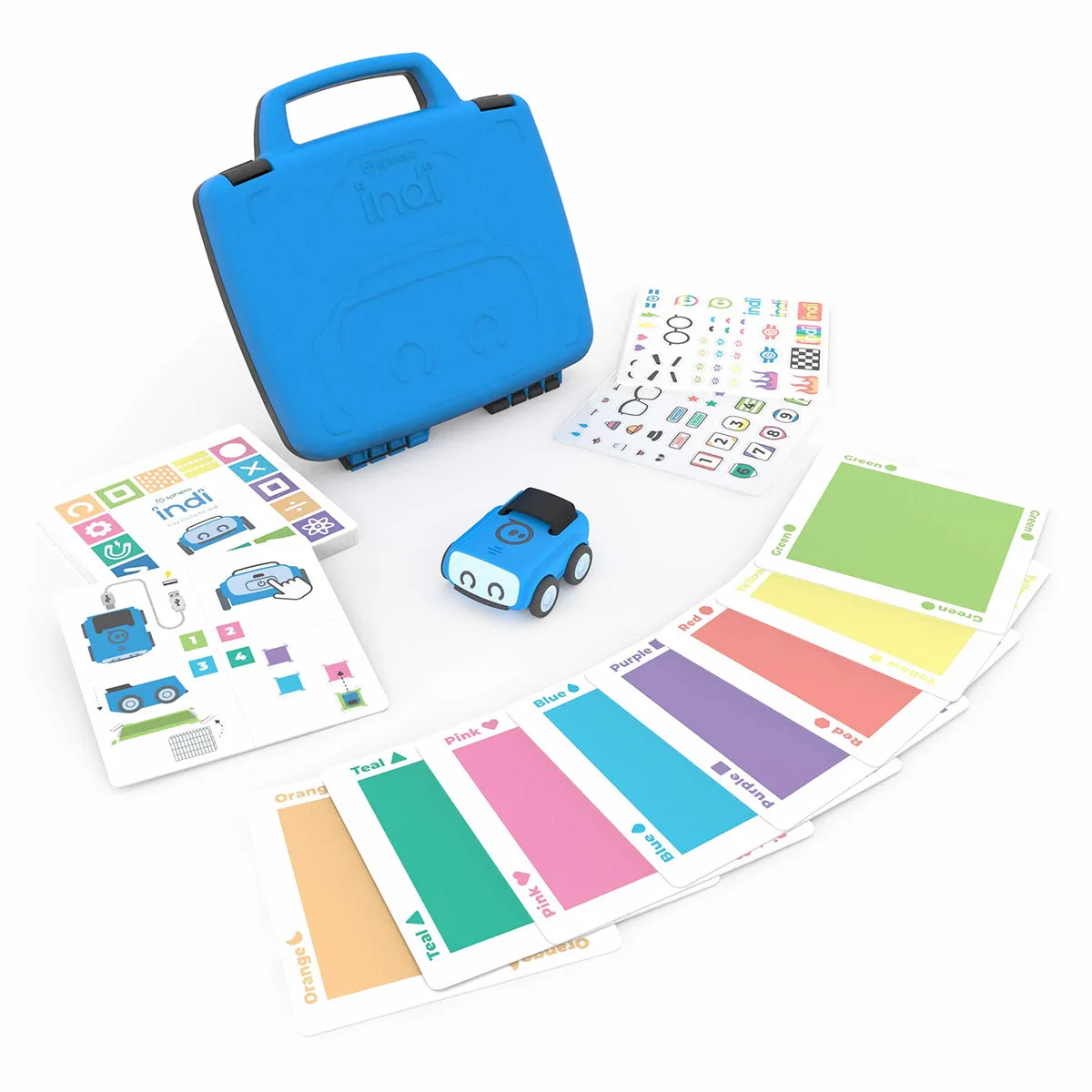
Sphero indi is a small robot car you program with colored tiles instead of buttons. It drives over the tiles and its color sensor reads each one as an instruction: go, speed up, slow down, turn. Kids lay out tracks and mazes, press go and find out if indi makes it to the end. Sphero designed it for Pre-K and up, and it charges over USB, so there’s no battery drawer to fight with.
When kids are ready for more, the free Sphero Edu Jr app (iOS, Android, Chrome, Mac and Kindle) lets them change what each color means with drag-and-drop blocks. That’s a nice way to show that the robot only does what someone told it to do.
The screen-free part is great, but the next level happens in an app, so the tablet comes out eventually. Sphero’s own shop now sells indi as a $150 “Single Student Kit” aimed at schools. The At-Home Learning Kit on Amazon was about 100 bucks, sold by Sphero, when we checked.
It suits kids who’d rather build a racetrack than press buttons, and it’s a good step toward the BOLT+ further down.
Ages 5 to 7: real programs, still mostly screen-free
Botley 2.0 Activity Set – the Best Screen-Free Coding Robot
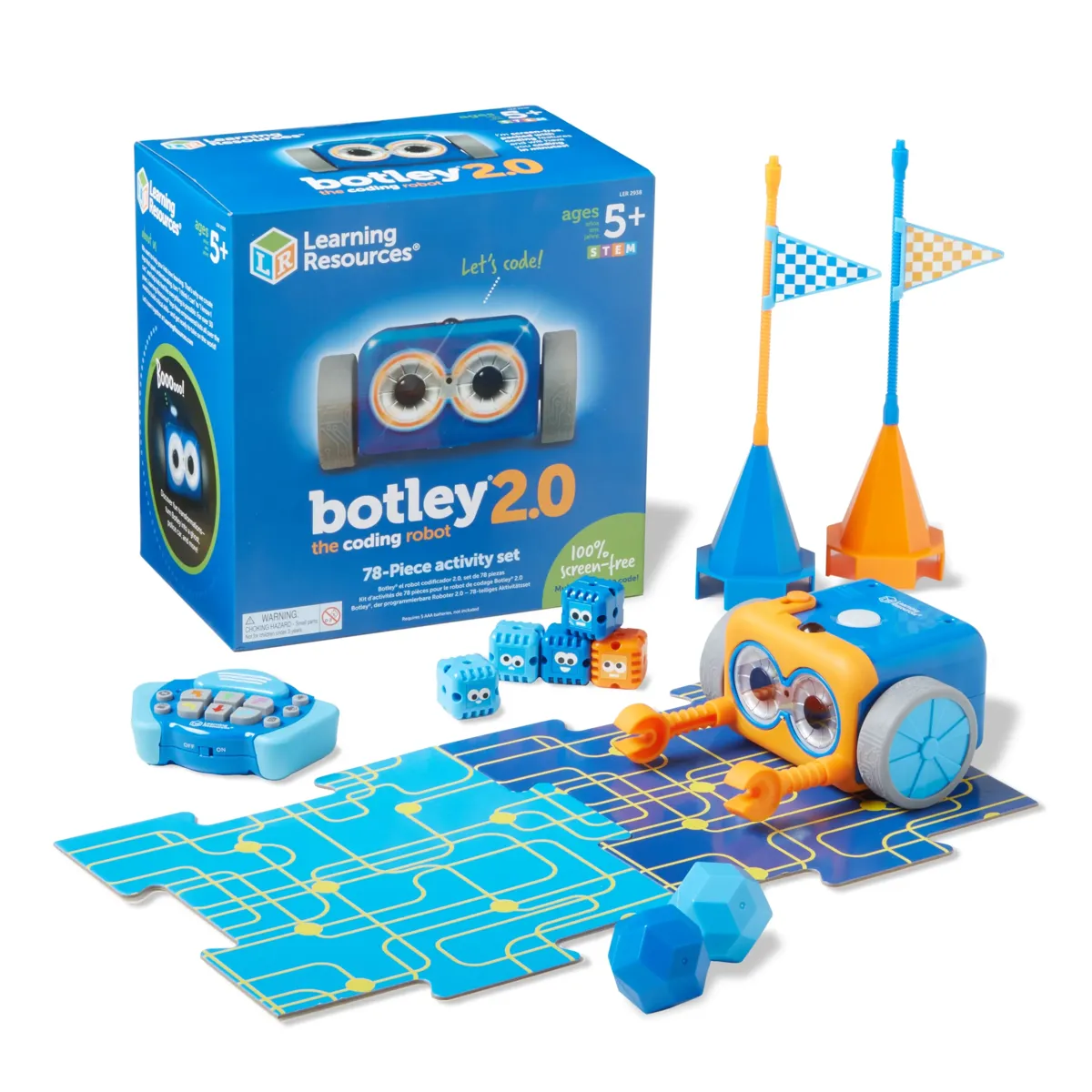
Botley 2.0 is the robot that shows up on almost every coding toy list, and for good reason. It’s a little white-and-blue robot that kids program with a separate remote programmer. There’s no phone or tablet involved.
On paper it’s surprisingly capable for a toy aimed at kids 5 and up. It remembers sequences of up to 150 steps, turns in 45-degree steps, detects objects in its way, follows a black line and has a light sensor. The 78-piece Activity Set is the one to get: it adds 40 coding cards, six double-sided boards and 27 obstacle pieces for building courses. It was about 100 bucks on Amazon when we checked.
Botley needs five AAA batteries (three in the robot, two in the remote), and none are included. The Mumsnet review also notes that the wheels work better on hard floors than on carpet. And once kids master the remote, there’s no “next level” with real code, so it has a natural end date.
Botley is the pick for kids around 5 to 7 who have outgrown simpler robots and still shouldn’t be glued to a screen.
Osmo Coding Starter Kit – Coding Blocks Meet the iPad
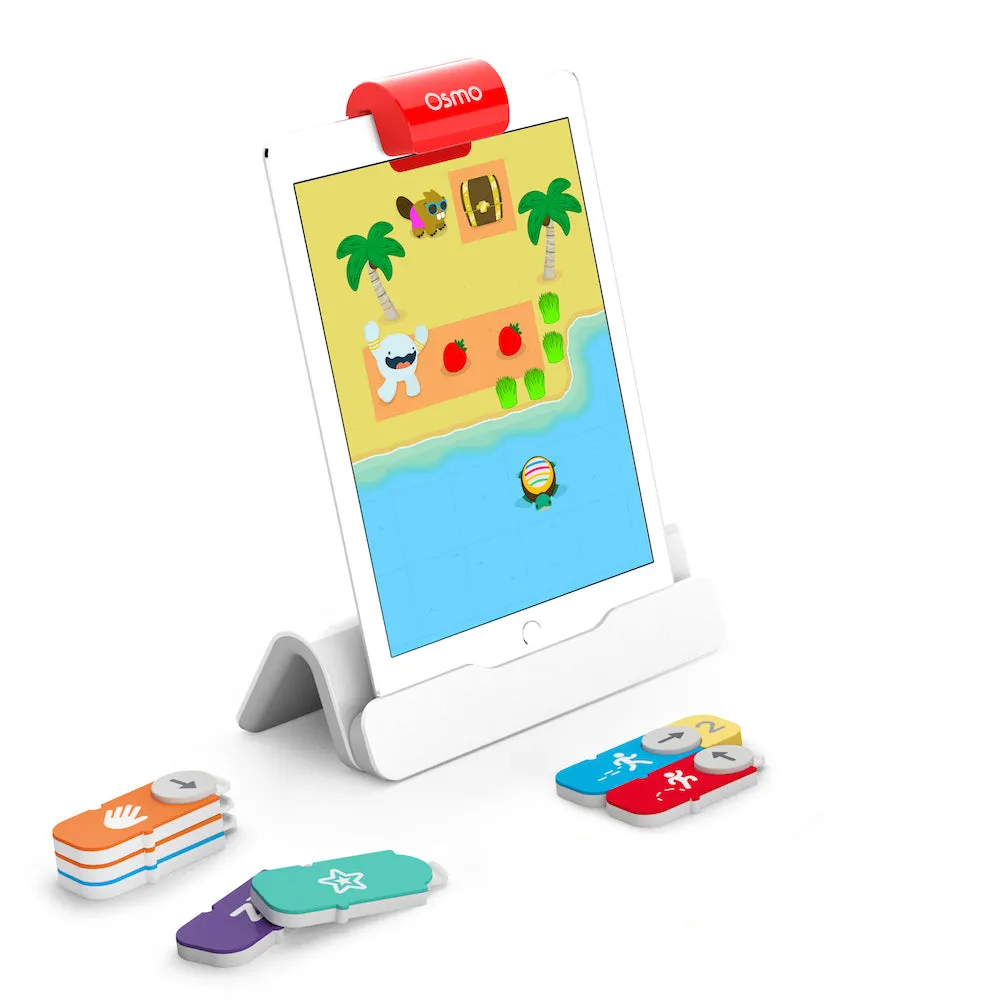
The Osmo Coding Starter Kit is a clever middle ground. Kids snap together physical coding blocks on the table, and the iPad’s camera reads them through a small red reflector on the Osmo base. The character on screen then does what the blocks say. There are three games in the kit: Coding Awbie, Coding Jam (which makes music) and Coding Duo.
Osmo says it’s for ages 5 to 10, and it doesn’t need Wi-Fi. The kit includes the base and reflector. You supply the iPad: Osmo says most iPads on iPadOS 15 or later work, and there’s a Fire tablet version too.
You need an iPad, and not every model plays nice with the reflector, so check Osmo’s compatibility list before you buy. It’s $99.99 on Osmo’s own shop, and it was on sale for $89.99 when we checked.
Buy it if you already own an iPad and want coding to feel like a game.
Wonder Workshop Dash – a Robot Buddy from Drawing to JavaScript
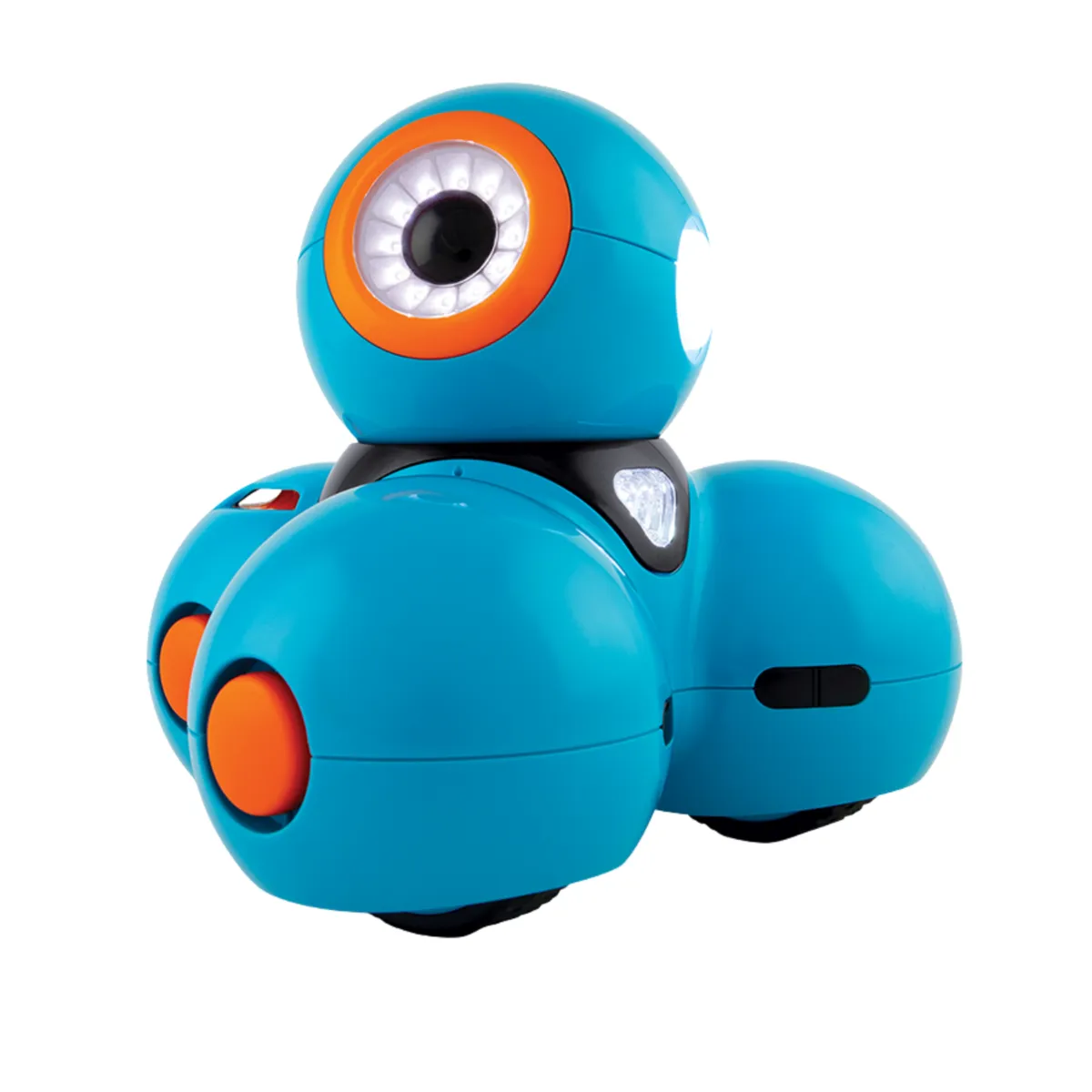
Dash looks like a cartoon character, which is half the reason kids love it. It arrives assembled and charged, and it’s programmed in free apps on tablets, phones and the web. Kids start by drawing a path for it to follow, move on to Blockly (drag-and-drop blocks) and can end up writing JavaScript in Blockly Pro. Wonder Workshop says it’s for ages 5 to 14, and it gets about five hours of play per charge.
Wonder Workshop is now part of MORAVIA Education, and Dash is still sold. The maker raised the list price to $189.99 last year. Amazon had it for about 180 bucks when we checked.
Tom’s Hardware calls the app “text-heavy”, which makes it hard for kids who can’t read yet. It’s also not cheap for a robot without a camera.
Dash is for kids from about 6 who want a robot with a personality, and for parents who want one toy that lasts through elementary school.
Ozobot Evo – a Pocket Robot You Program with Markers
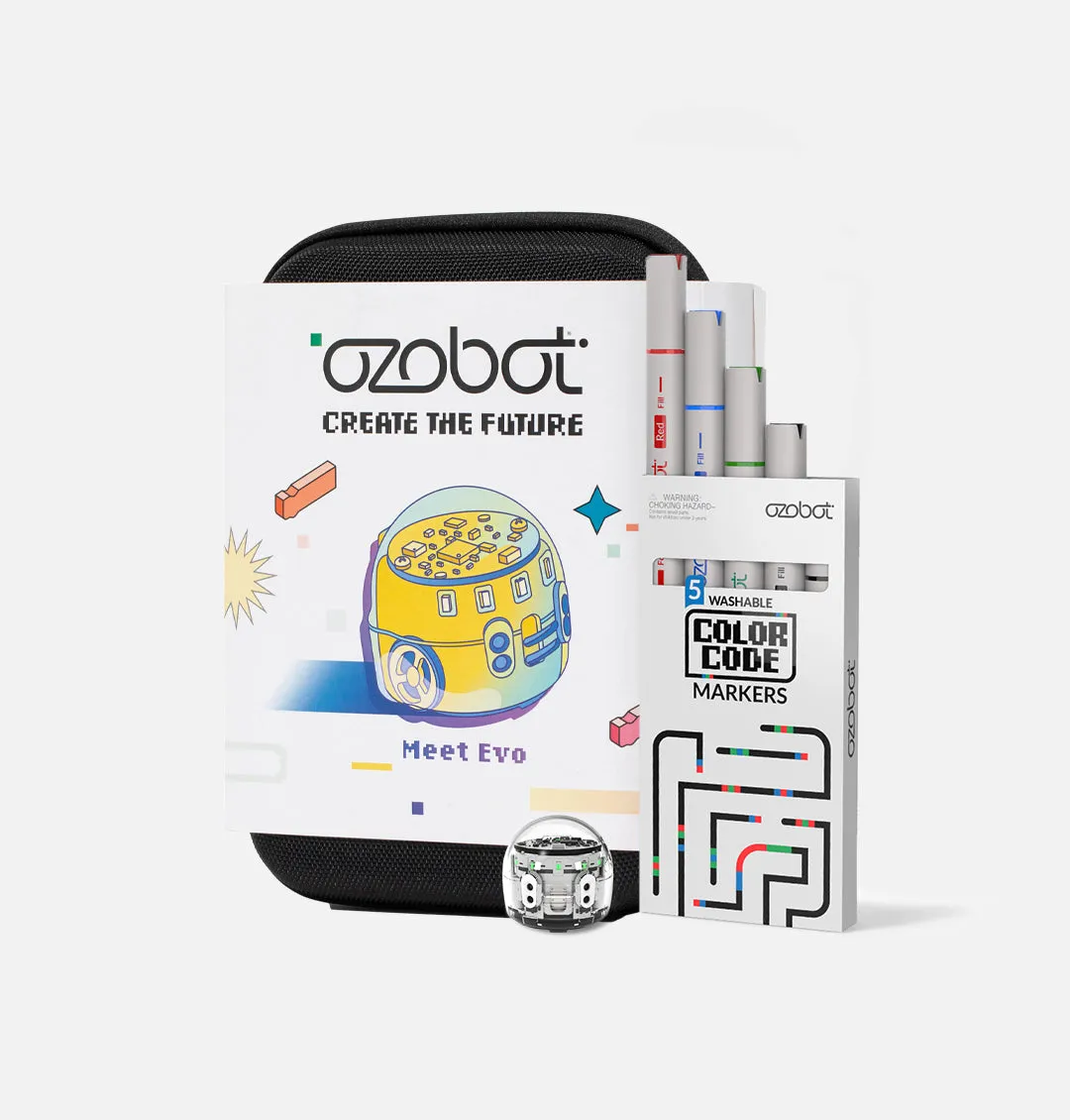
Ozobot Evo is a pocket-size robot, and its party trick is that you can program it with markers. Kids draw lines on paper and add short sequences of colors, and Evo reads them as commands as it drives over them. It’s coding with felt-tip pens, more or less. Later they can switch to Ozobot Blockly on a tablet or computer.
The Entry Kit comes with the robot and Color Code markers in a carry case. Evo has proximity and optical sensors, connects over Bluetooth and charges in about an hour. Ozobot lists the kit for ages 5 to 11, and it was $175 on Ozobot’s shop and on Amazon (sold by Ozobot) when we checked.
Common Sense Education points out that the block coding needs both the app and a web browser, and that extra step can frustrate kids. It’s also small enough to lose under the fridge.
Good for kids who love drawing, and for screen-free coding that fits in a backpack.
Ages 8 to 12: blocks, then real code
Game Builder Garage – Nintendo Teaches Kids to Make Games
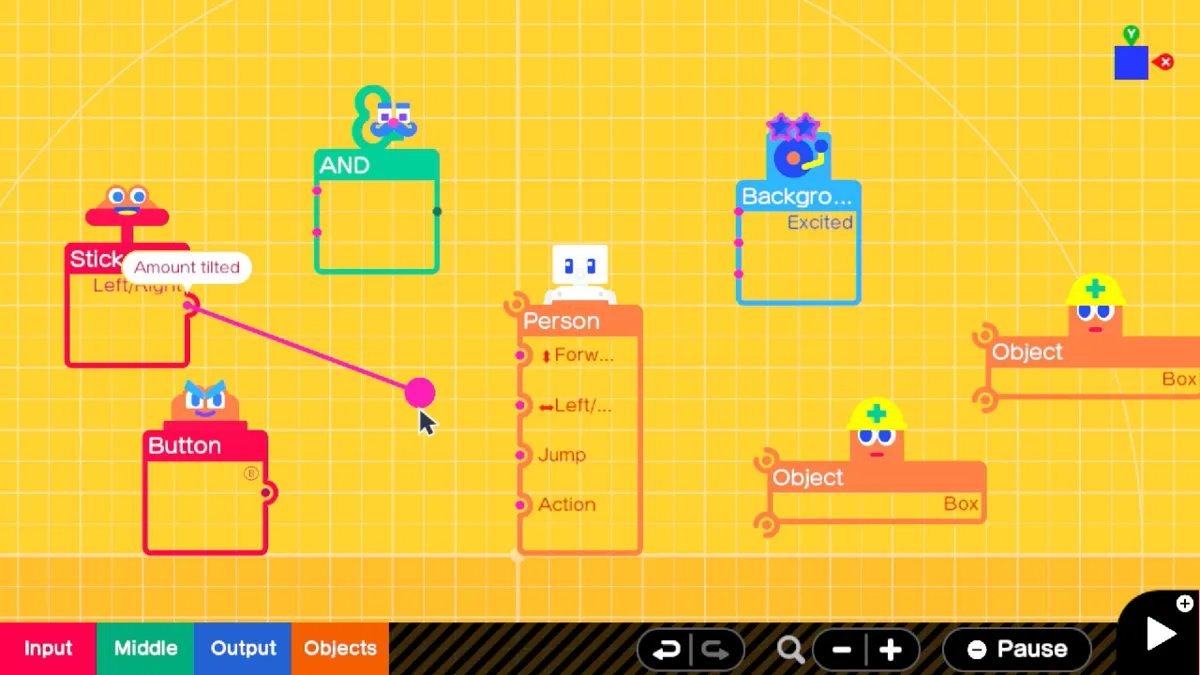
Kids who play video games often want to make them. Game Builder Garage for the Nintendo Switch is Nintendo’s answer: a game about making games, with guided lessons that walk you through building seven small games before you’re let loose in Free Programming.
The programming happens with cute characters called Nodon. Each Nodon does one job, like “when this button is pressed” or “make this object jump”, and you connect them with wires. One button flips between your code and the game itself, so you see right away what your change did. You can share what you make with friends using codes, and it plays on the Switch 2 as well. A free update even adds Joy-Con 2 mouse controls.
Gaming Trend found the tutorial “a bit too hand-holdy”, and there’s a lot of reading, so younger kids need help. It’s $29.99 on Nintendo’s shop. Amazon only had it from other sellers for a few bucks more when we checked.
Who it’s for: gamers from around 8 (and plenty of adults) who want to know how their favorite games work. It’s the least “educational-looking” toy on this list, which is exactly why it works.
BBC micro:bit V2 Go – the Best Budget Coding Kit
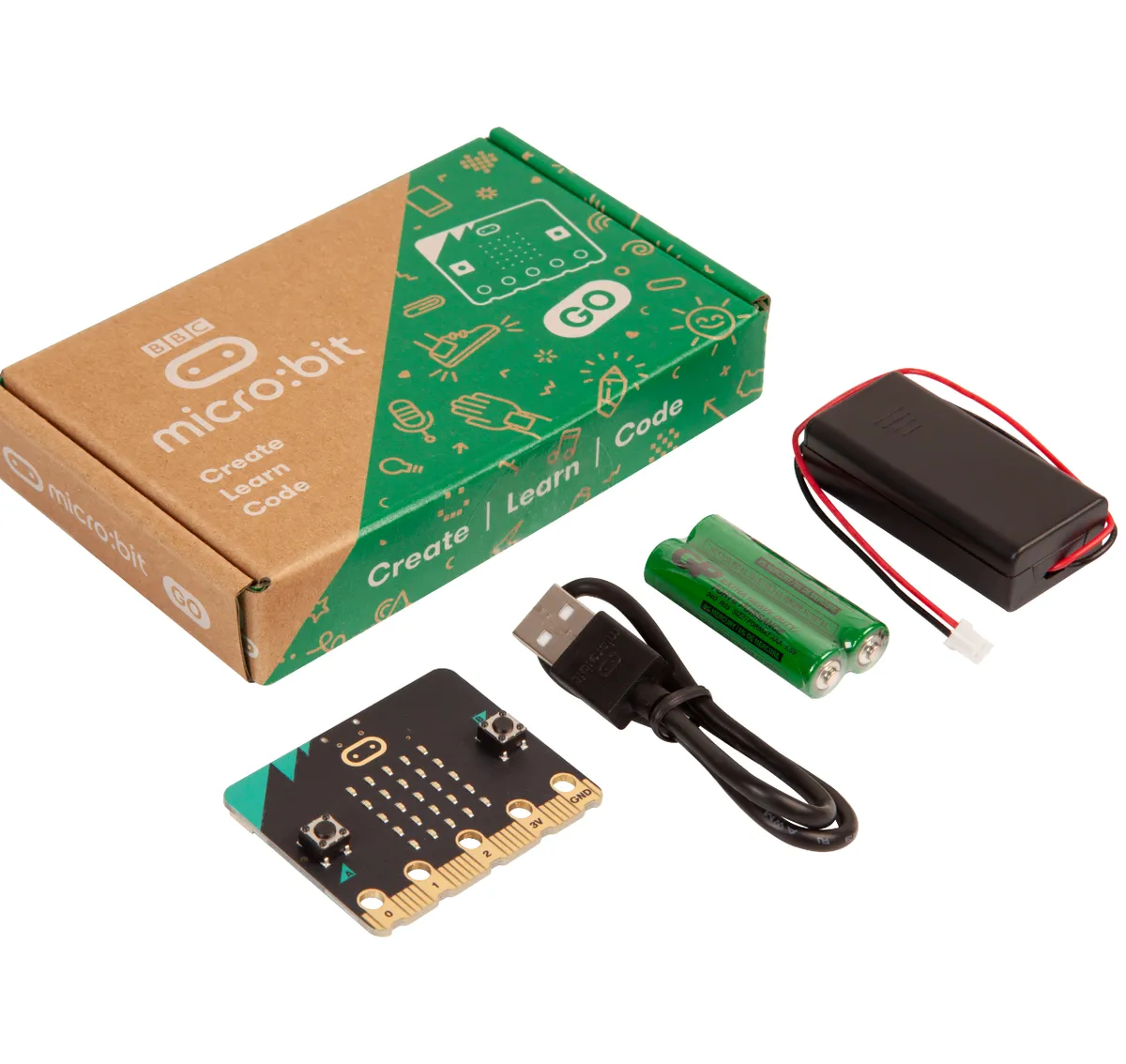
The micro:bit is a pocket-sized computer board that started as a BBC project in the UK and is now used in schools around the world. It has an LED display, two buttons, sensors, a speaker and a microphone, plus pins to hook up extra electronics. The Go kit adds a USB cable, a battery pack and two AAA batteries, so you can start right away.
Kids program it in the free online editors, starting with drag-and-drop blocks in Microsoft MakeCode and moving to Python when they’re ready. Think digital dice, a step counter or a little music box. You may see V2.2 on the box: that only swaps the USB chip, and the micro:bit foundation says it works the same.
It’s a bare board, so out of the box it does nothing until someone writes code for it. Kids need projects to follow or a grown-up to get started. One verified Pimoroni buyer also found the speaker “very quiet”. It’s $19.95 at Adafruit; the Amazon listing had no seller when we checked.
Who it’s for: kids from about 8 who want to make things, and parents who want to test the waters for the price of a pizza.
Snap Circuits Jr. SC-100 – Learn How Electronics Work
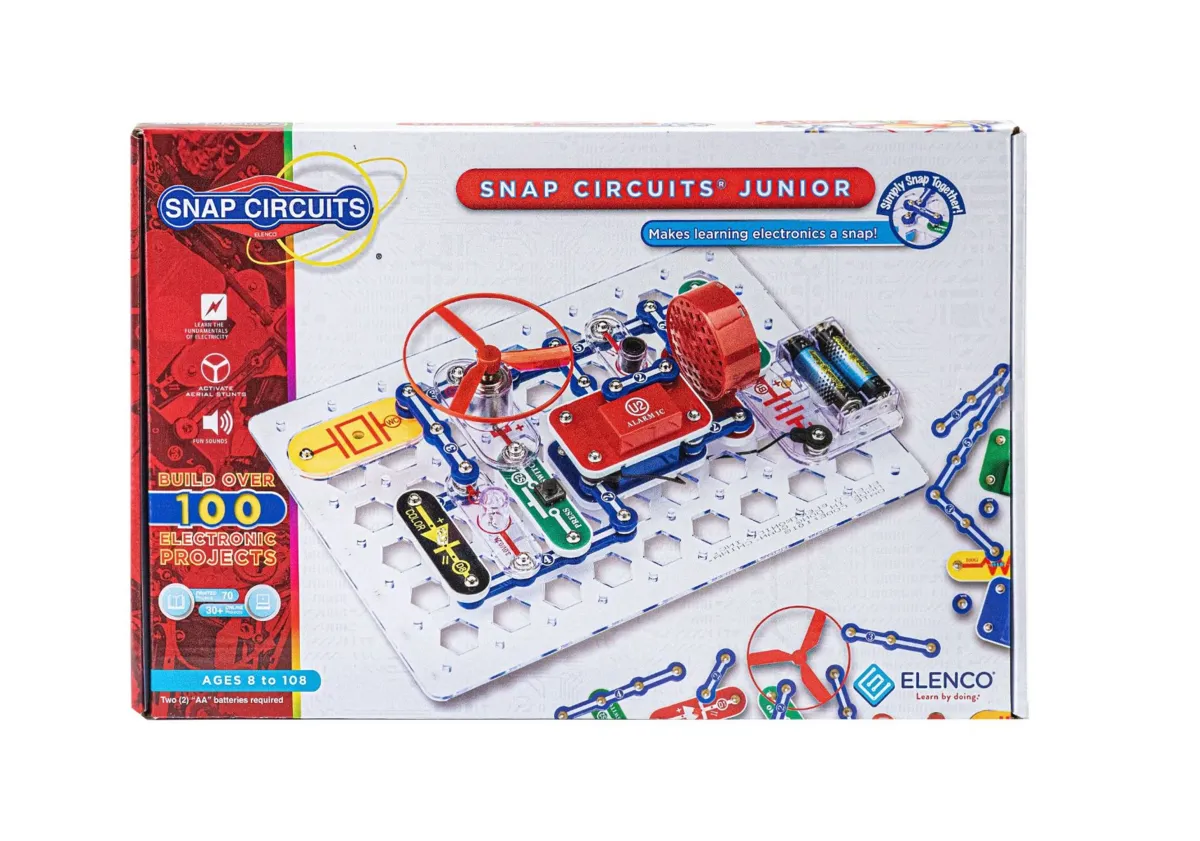
Snap Circuits teaches the layer below the code: electricity. Every part (wires, a motor, a light sensor, a sound chip) sits on a plastic module with snaps, and kids follow the picture manual to click them onto a grid. No soldering, no tools.
Elenco’s Jr. set has over 30 parts and a manual with 101 projects, from a flying saucer to alarms and a doorbell. Elenco says ages 8 and up. It runs on two AA batteries, and it was about 33 bucks on Amazon (sold by Amazon) when we checked.
The manual does a lot of the thinking. Kids who only follow the pictures will build 101 projects without understanding why they work, so the fun part is asking “what happens if I swap this?”
It’s for kids who take things apart to see how they work, and it pairs nicely with the micro:bit.
ThinkFun Hacker – a Screen-Free Coding Puzzle for Older Kids
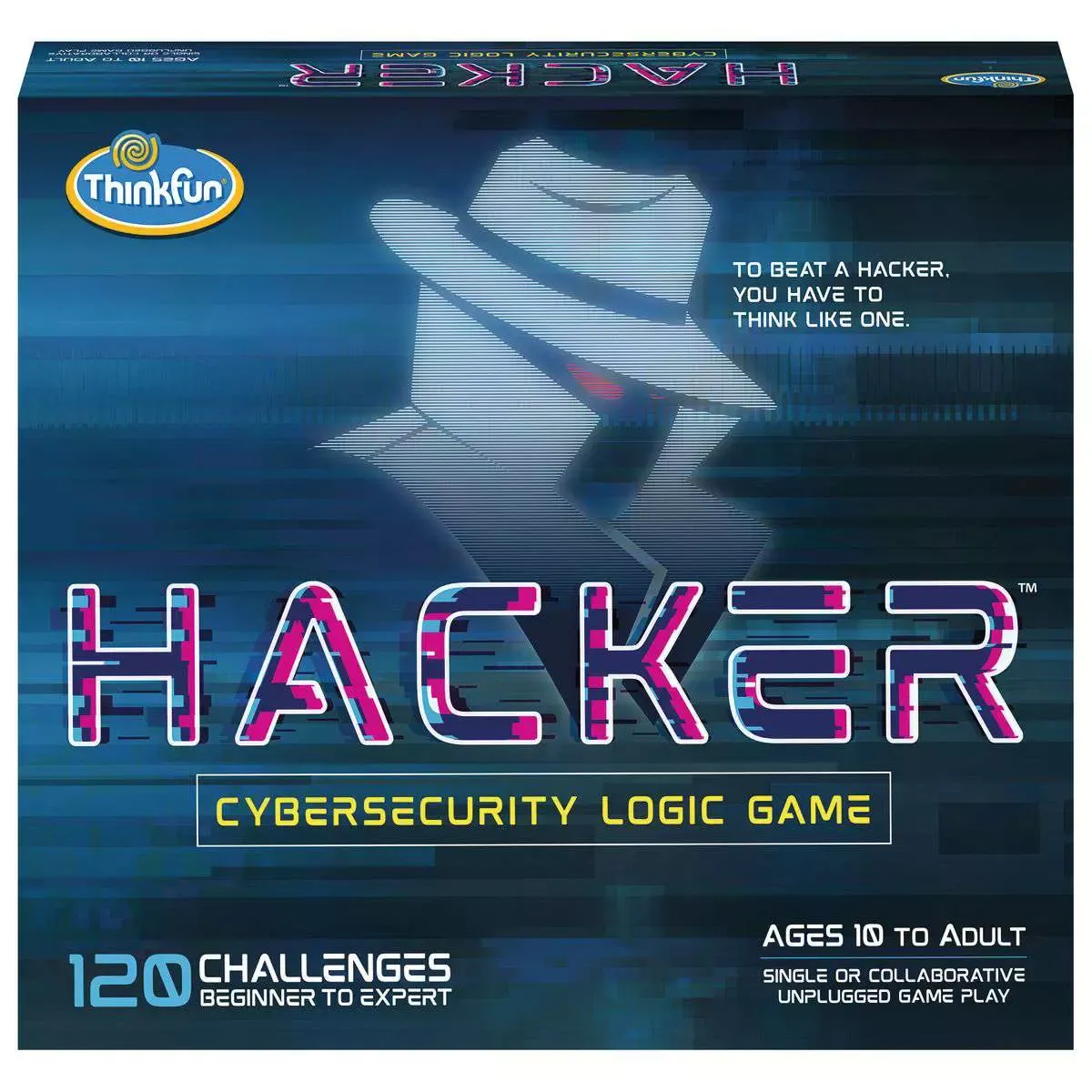
Robot Turtles, the coding board game that used to be on this list, is gone from ThinkFun’s US shop. The ThinkFun game I’d give an older kid instead is Hacker. It’s a single-player logic puzzle with a board of five rotating platforms. You program your agents to grab data chips and avoid viruses, and every challenge card is a little algorithm problem.
ThinkFun says ages 10 and up, with 120 challenges from beginner to expert. No screen, no batteries. It’s $34.99 on Ravensburger’s US shop (ThinkFun’s owner), and it was on sale for $29.74 when we checked.
It’s mainly a solo game, so it doesn’t replace a family game night. I couldn’t find a proper editorial review yet, either.
Give it to puzzle-loving kids of 10 and up who’ve had enough screen time this week.
Sphero BOLT+ – the Best Coding Robot Kids Won’t Outgrow
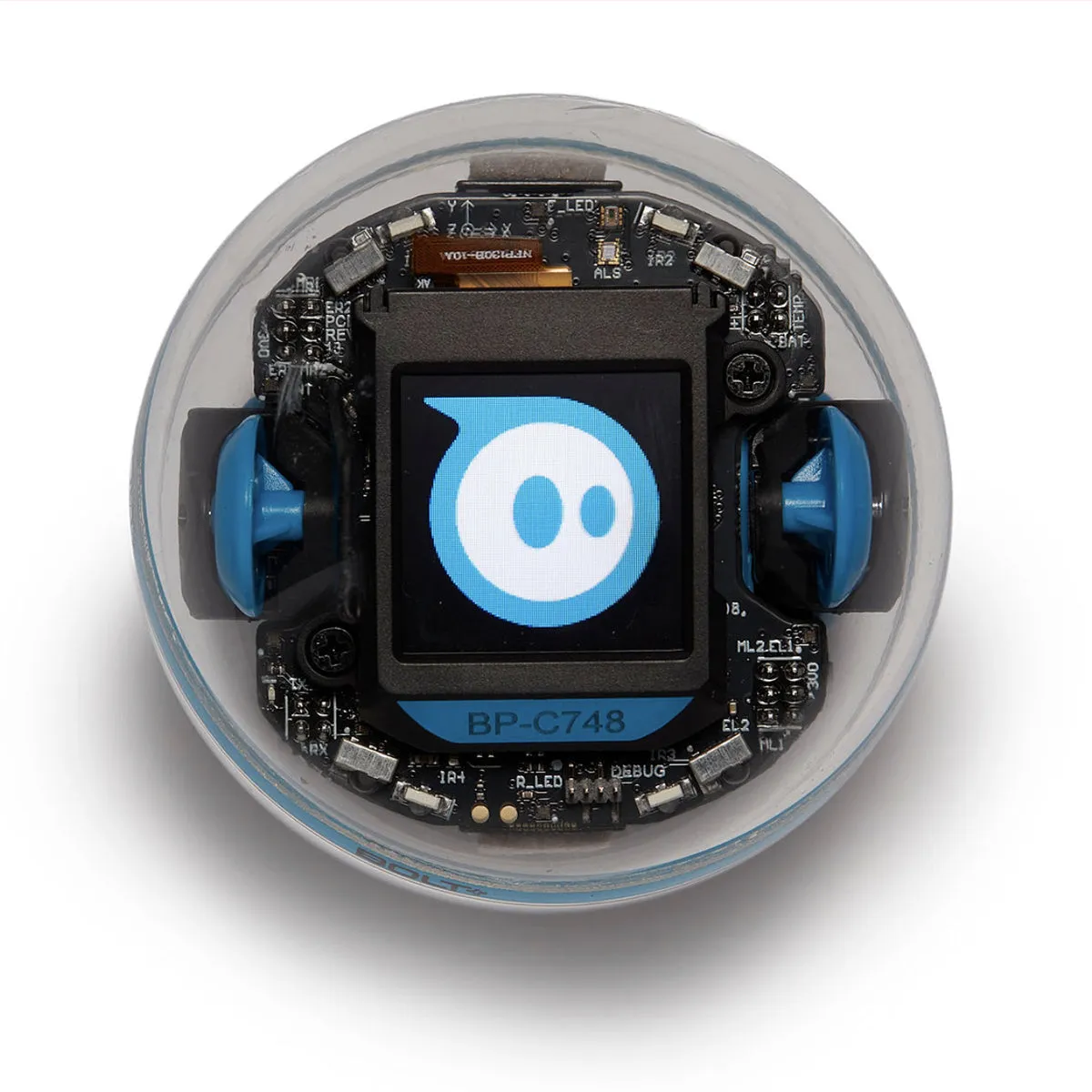
The old list had the Sphero SPRK+, a programmable robot in a clear ball. The BOLT+ is the current version of that idea. It’s a waterproof robot ball with motors, sensors and a small LCD screen inside that shows animations, messages and live sensor data.
In the Sphero Edu app (Chrome, Mac, PC, iOS, Android and Kindle), kids can draw a path for it, code with drag-and-drop blocks, or move up to JavaScript and Python. That range is the big selling point: Sphero aims it at grades 3 to 10, so the same robot works for an 8-year-old and a teenager. It charges on a wireless base, and you wake it up by shaking it.
It needs a phone, tablet or computer for all the coding, and $199 is a lot for one ball. It also rolls under the couch at the worst possible moment.
Buy it for kids from 8 who want a robot they’ll still use in middle school.
Makeblock mBot2 – Build the Robot, Then Program It
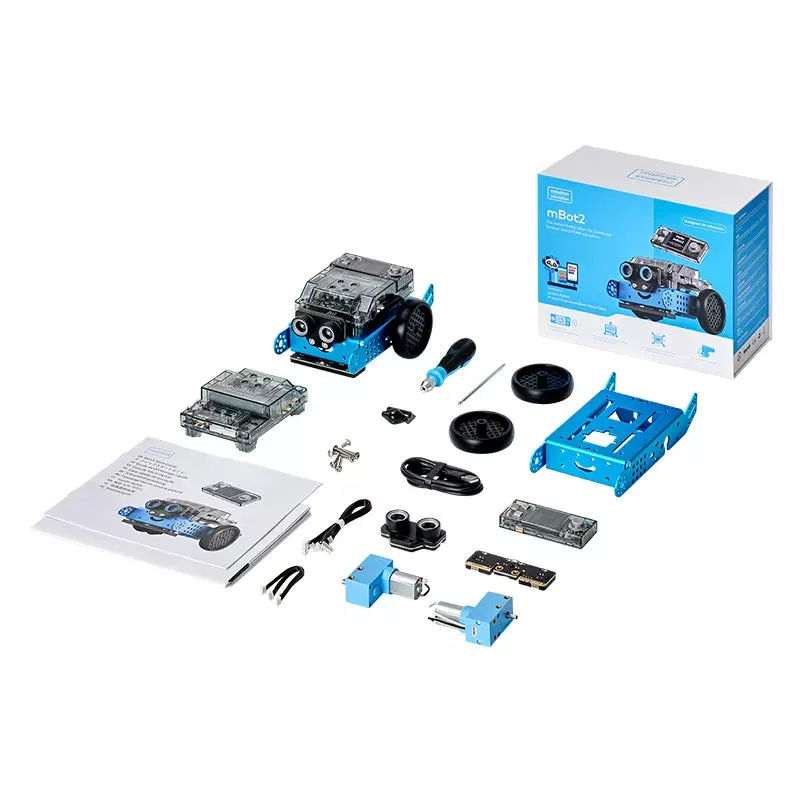
The mBot2 is a small robot on wheels that kids build themselves, with the tools in the box. The brain is Makeblock’s CyberPi controller, which has a small color screen, Wi-Fi, Bluetooth, a microphone, a speaker and motion sensors. The kit adds an ultrasonic sensor for spotting obstacles and encoder motors that know how far they’ve turned. It charges over USB-C.
Kids program it in Makeblock’s mBlock software with Scratch-style blocks and can switch to Python later. It runs on Windows, macOS, iOS and Android, with a browser version for Chromebooks.
Building it is part of the fun, but younger kids will need help, and it’s more of a project than a toy you grab for ten minutes. GadgetExplained also found the CyberPi’s plastic buttons loud. Makeblock’s shop had it for $149.99, and Amazon (sold by Makeblock) had it for about 128 bucks when we checked.
Who it’s for: kids from about 8 to 14 who like building and want to understand how a real robot works, sensors and all.
Ages 12 and up: a real computer
Raspberry Pi 500 Desktop Kit – a Whole Computer in a Keyboard
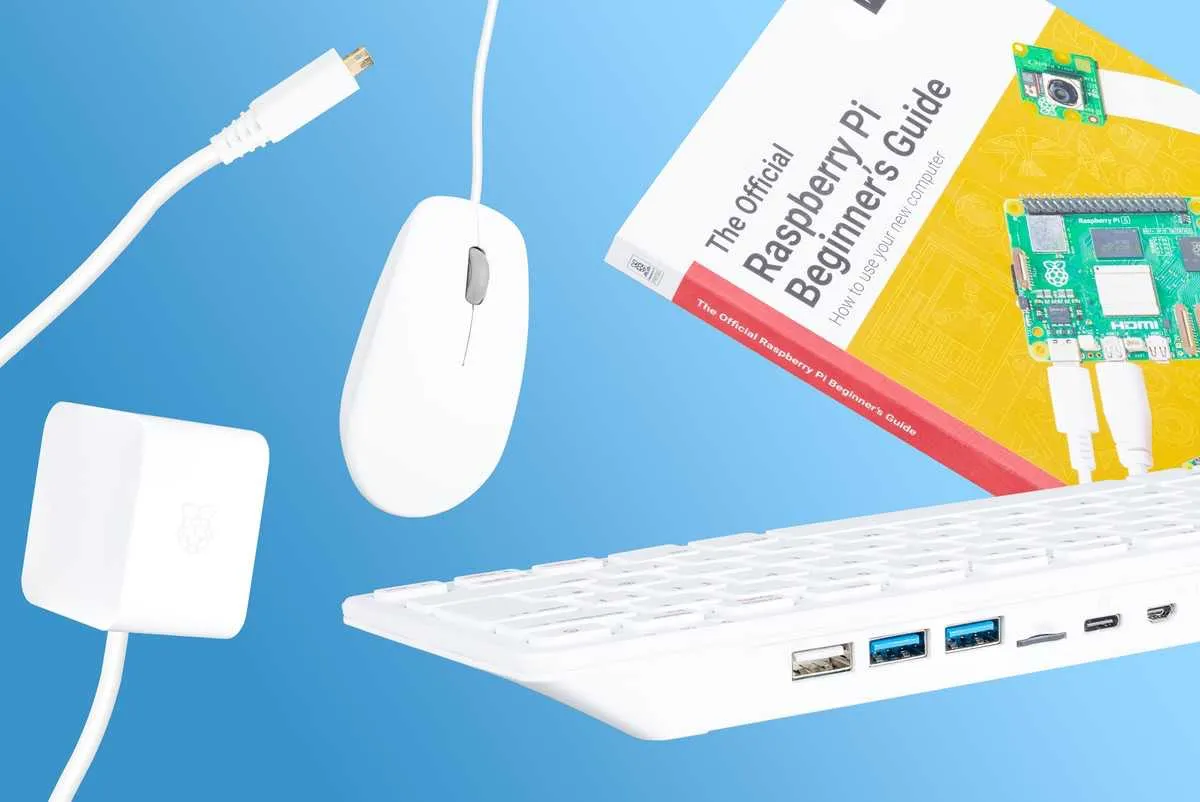
At some point a teen outgrows toys and needs a computer that’s theirs to break. The Raspberry Pi 500 is a full computer built into a compact keyboard. Plug it into a monitor or TV and it boots Raspberry Pi OS, with Scratch, Python and a web browser ready to go.
On paper it has a quad-core 2.4 GHz processor, 8 GB of memory and dual-band Wi-Fi. The Desktop Kit adds a mouse, a USB-C power supply, an HDMI cable and the official Beginner’s Guide book. You bring the screen. It’s $200 for the kit on Raspberry Pi’s site, where you pick a local reseller. Prices went up in 2026 when memory got more expensive, so ignore the $120 you’ll see in older reviews. Amazon was asking about $240 when we checked, so we link Raspberry Pi instead.
Tom’s Hardware calls the GPIO pins (for hooking up electronics) “awkward” to reach on the keyboard version, and there’s no fast NVMe storage slot.
Who it’s for: teens who want to learn Python, build a retro game console or run a little web server, and who’d rather tinker than watch tutorials.
How to Choose a Coding Toy for Kids
- Match the age, not the ambition. Ages 3 to 5: buttons, tiles and cards (Code & Go Mouse, indi). Ages 5 to 7: Botley 2.0, Osmo, Dash or Ozobot. Ages 8 and up: blocks, then real text code (micro:bit, BOLT+, mBot2). Teens: a Raspberry Pi.
- Screen-free or app-based? Screen-free toys are great for little kids, and they keep the grown-up in the game. App-based toys go further, but they bring the tablet back.
- Look for a next step. A toy that goes from blocks to Python (BOLT+, micro:bit, mBot2) lasts years. A toy without one (Botley, the mouse) is done when your kid has mastered it.
- Count the batteries. Botley eats five AAAs and the mouse three. Rechargeable robots (indi, Dash, Ozobot, BOLT+, mBot2) cost more up front.
- Play along. Most kids get more out of these toys when a grown-up joins the first few sessions. You might learn something too.
FAQ
What is the best age for a child to start coding?
Kids of 3 or 4 can learn the basic ideas, like putting steps in the right order, with screen-free toys like the Code & Go Robot Mouse or Sphero indi. Block coding on a tablet works from about 5 to 7. Typing real code, like Python, usually makes more sense from around 8 to 10.
How do I introduce my kid to coding?
Start with a toy. Pick something they can touch and that does something funny when they get it right, like a robot that drives into a wall. Play together the first few times, and let them debug their own mistakes instead of fixing them.
Is coding a lot of math?
Not at this level. Coding toys use counting, directions and a bit of logic. Most of it is breaking a problem into small steps and trying again when it doesn’t work. Math comes in later, for things like games and graphics.
How much does a good coding toy cost?
You can start for about 20 bucks with a micro:bit, or about 30 to 40 bucks with Game Builder Garage, Snap Circuits Jr. or the Code & Go Robot Mouse. Robots that go from blocks to real code (Dash, BOLT+, mBot2) cost $130 to $200.
What about LEGO coding sets?
LEGO Education stopped selling SPIKE Prime and SPIKE Essential on June 30, 2026. Its new Computer Science & AI kits are sold for classrooms, starting at $339.95 for a kit for four students. For a LEGO fan at home, a coding robot plus a big LEGO set makes more sense.
Got a kid who’d rather build marble runs? The GraviTrax Starter Set teaches the same step-by-step thinking without a screen. Older kids who like engines will love the Thames & Kosmos V8 race car kit, and Minecraft fans can build in real life with Pixel Cubes.