Elgato Stream Deck + XL – 36 glowing buttons and six dials for your desk
As an Amazon Associate I earn from qualifying purchases. It costs you nothing extra.
My keyboard has over a hundred keys, and I still press Alt-Tab, Ctrl-Shift-Esc and three wrong shortcuts before I find the one I want. Streamers have it worse. Switch scene, mute mic, start clip, thank the raid, find the music volume. All while playing.
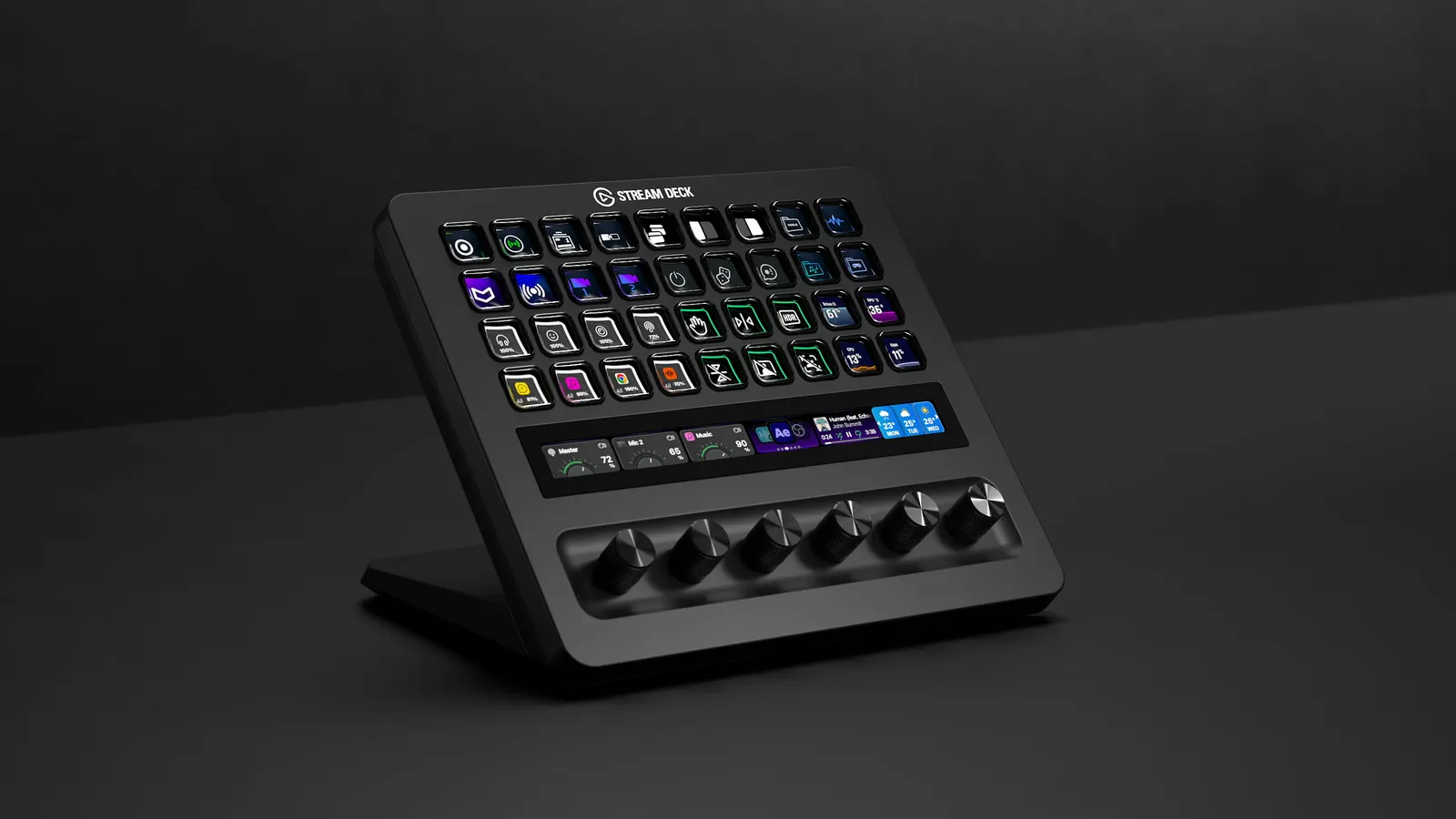
The Elgato Stream Deck + XL is a desktop control panel with 36 customizable LCD keys, six turning dials and a touch strip. Elgato calls it its biggest Stream Deck yet, and it went on sale in March 2026.
It looks like the cockpit of a small spaceship. That’s a compliment.
What is the Elgato Stream Deck + XL?
Elgato (owned by Corsair) made the first Stream Deck in 2017: a little box of buttons with tiny screens under each key. You press a key, something happens. Switch an OBS scene, open an app, mute Discord, fire a sound effect, run a whole chain of actions at once. The icon on the key shows what it does.
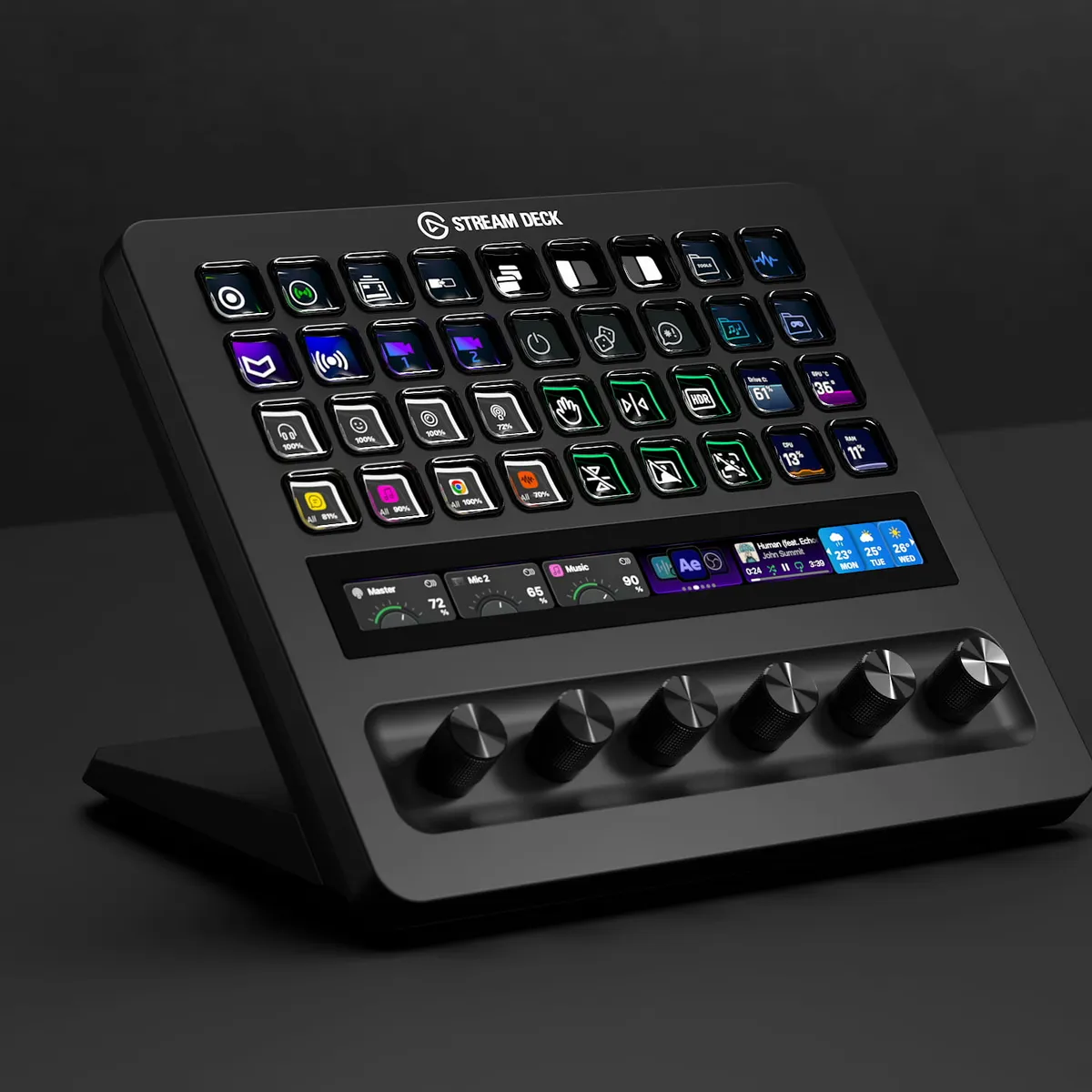
The ”+” models add turning dials and a touch strip. The + XL takes that idea and makes it big:
- 36 customizable LCD keys
- six 360° dials that you can also push
- a 161 mm (6.3-inch) touch strip that shows live info and lets you swipe between pages
- USB-C, for Windows 11 and macOS 13 or newer
- a built-in stand and about 2.4 pounds of weight, so it stays put
- a free set of colored dial caps from Elgato’s own store
You set it all up in the free Stream Deck app, which has a marketplace full of plugins and icon packs. Elgato lists sim gaming next to live production and audio work, and that makes sense: a flight or racing sim has more switches than your hands can find on a keyboard.
How does it work in practice?
Each key can do one thing, or three. Elgato’s software lets you give a single key different actions for a press, a double press and a press-and-hold. The dials are for anything with a level: game volume, mic gain, music, a light’s brightness. The touch strip shows the numbers, so you see the result without alt-tabbing.
Want more? Elgato sells a USB Hub that slots behind the + XL and a Network Dock that runs it over Ethernet, without a PC next to it.
The good and the not-so-good
What I like:
- Big physical controls for things you normally hunt for with a mouse.
- The dials. Turning a knob for your mic volume is much more pleasant than clicking a slider.
- It plugs into Elgato’s huge plugin library, from OBS and Twitch to Discord and Photoshop.
- Buyers rate it 4.9 out of 5 on Amazon at the time of writing.
What could be better:
- 350 bucks is a lot of money for a box of buttons.
- It’s big. It takes real desk space next to your keyboard.
- No console support. It’s for PC and Mac.
- I found no big written reviews yet. One Thomann buyer calls it a bit pricey.
Who is the Elgato Stream Deck + XL for?
Streamers who juggle scenes, chat and audio. Sim racers and flight-sim fans who want a wall of switches. And anyone who edits video or music at the same desk where they game.
Skip it if you only want a handful of shortcuts. The regular Stream Deck or the smaller Stream Deck + are much cheaper. If you’d rather have the keys inside your keyboard, the Corsair Galleon 100 SD puts a Stream Deck where the numpad used to be. And if your desk is already crowded, sort that first with a BenQ ScreenBar Pro or the Nanoleaf smart monitor stand.
Where can I buy the Elgato Stream Deck + XL?
It’s on Amazon US for about 350 bucks at the time of writing (October 2026), the same price as on Elgato’s own site.
One button for every bad habit. Take my money.