Logitech MX Master 4 – a mouse that taps your thumb back
As an Amazon Associate I earn from qualifying purchases. It costs you nothing extra.
I spend a scary part of my day hunting through menus. Where was “align center” again? Third tab, second dropdown, somewhere under “Arrange”. Multiply that by a few hundred times a week.
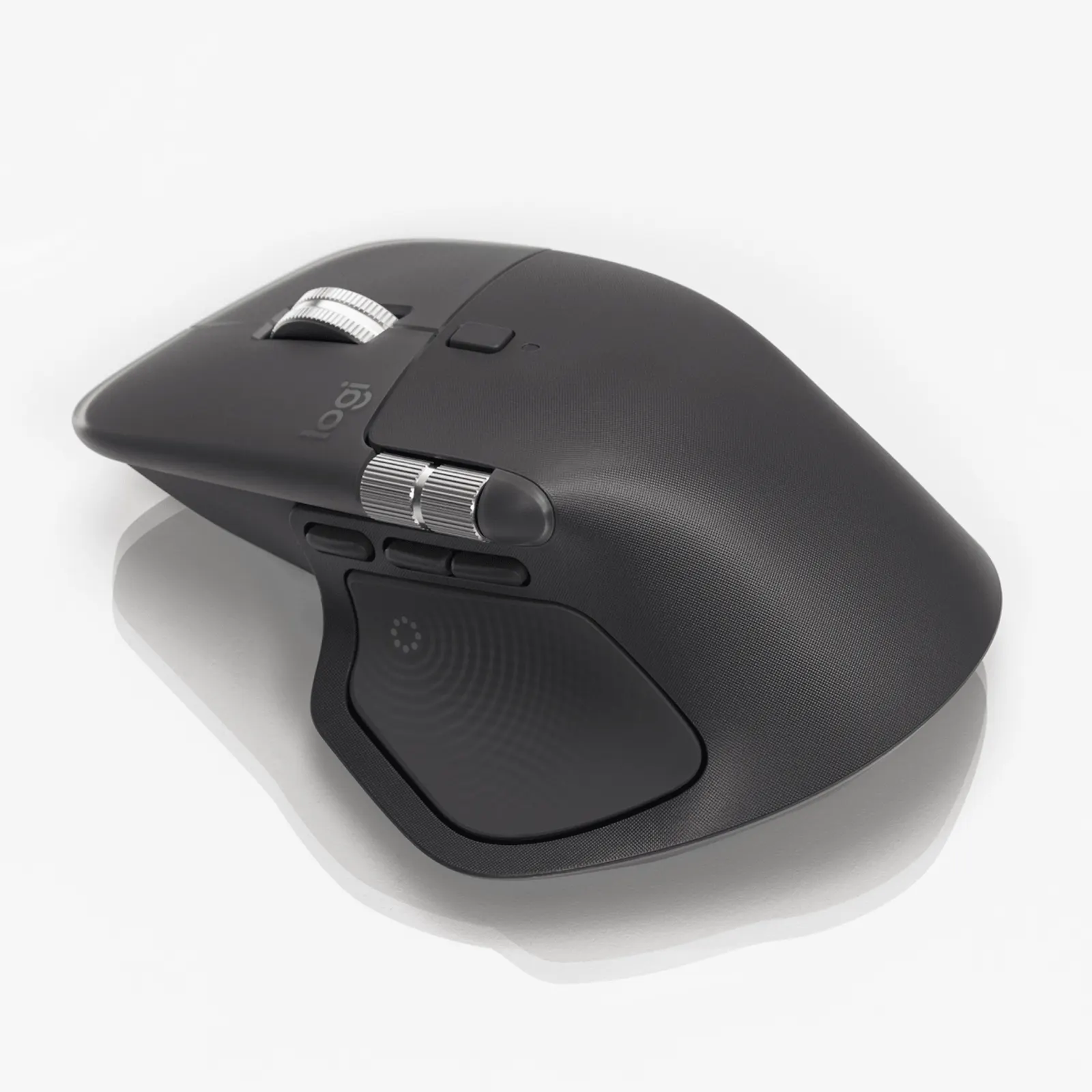
The Logitech MX Master 4 is a wireless mouse with a haptic panel under your thumb. Press it and a ring of shortcuts pops up around your cursor, and the mouse gives you a little tap when you do something.
A mouse with a pulse. Weird, but I want one.
What is the Logitech MX Master 4?
It’s the newest version of Logitech’s MX Master, the big right-handed office mouse with a cult following among people who live in spreadsheets. Logitech announced it at the end of September 2025.
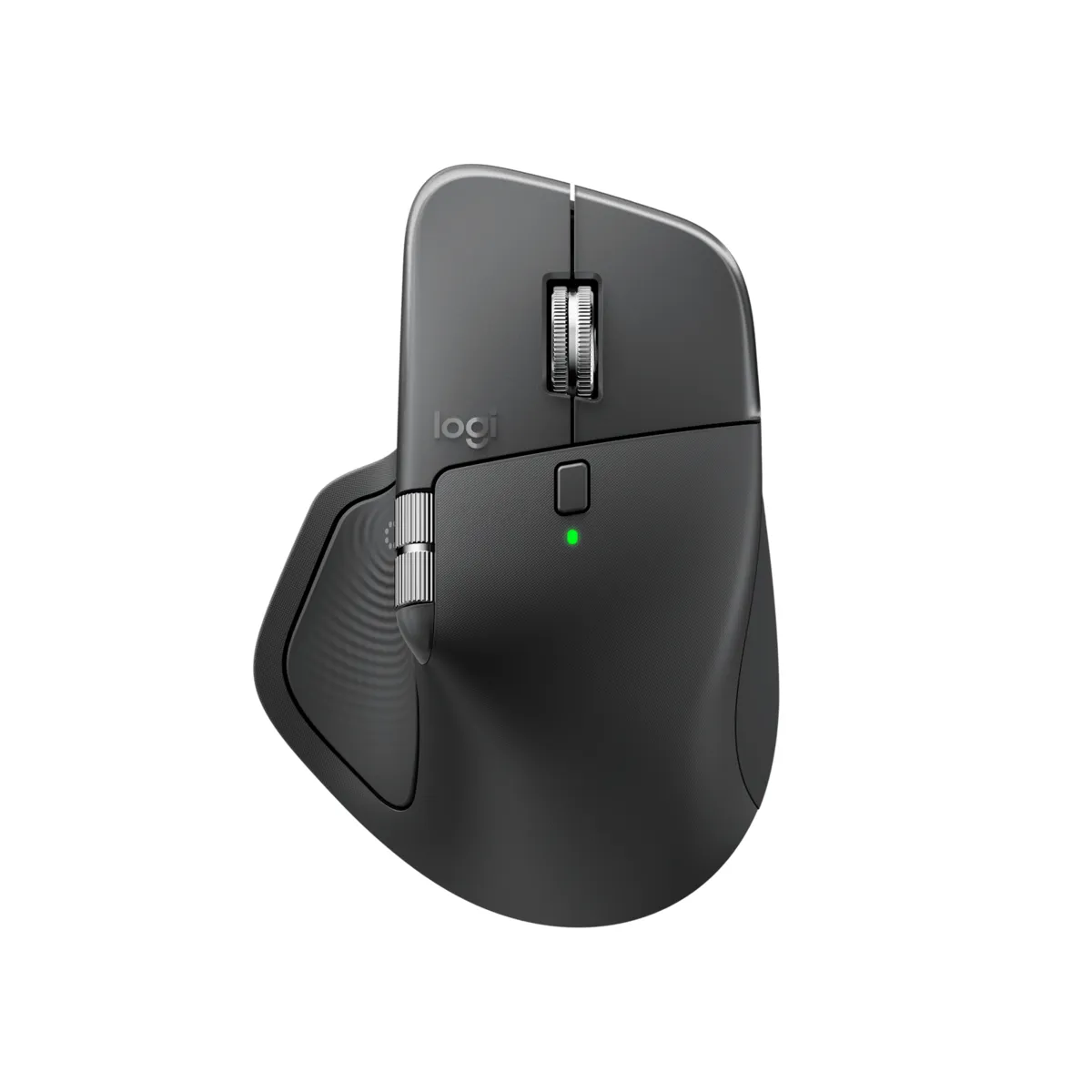
The shape and the famous MagSpeed scroll wheel are back. That wheel is steel and electromagnetic: it clicks line by line, or you flick it into free-spin and Logitech says it does 1,000 lines per second. The 8,000 DPI sensor tracks on almost any surface, including glass. There’s a thumb wheel for scrolling sideways, quiet clicks, and you can pair it with up to three computers.
How does the haptic panel work?
The new bit sits where your thumb rests. It’s a pressable panel with a small motor that vibrates. Press it and the Actions Ring opens: a circle of shortcuts at your cursor that changes depending on the app you’re in. Logitech claims it saves up to a third of your time on those actions.
The haptics also give feedback when you do things like switch desktops or hit the end of a slider. On Windows 11 it works natively with some apps, such as aligning objects in PowerPoint. You set it all up in Logitech’s Logi Options+ app for Windows and macOS.
Logitech rates the battery at up to 70 days, and one minute of charging over USB-C gives about three hours of use. Fun fact: there’s no charging cable in the box.
What I like / What could be better
What I like:
- The Actions Ring. CNN Underscored called the ring plus haptics the one-two punch of this mouse.
- The scroll wheel is still the best reason to own an MX Master.
- Long battery life, even with a vibration motor inside. CNN notes Logitech fit a bigger battery than the MX Master 3S.
- Amazon buyers give it 4.3 out of 5 from over 2,100 ratings at the time of writing.
What could be better:
- Critics are split on the haptics. TechRadar said they’re far from the mouse’s best feature, and Tom’s Guide found them a little redundant.
- It’s heavier: 150 grams, up from 141 on the 3S. TechRadar and Tom’s Guide both list the weight as a con.
- No cable in the box for a mouse that costs over a hundred bucks.
- It’s right-handed only.
Who is the Logitech MX Master 4 for?
People who live in Photoshop, Premiere, Excel or a code editor all day and love shortcuts. It’s a solid desk upgrade gift for anyone still on an MX Master 2S or a cheap office mouse.
Already own an MX Master 3S? Tom’s Guide sees the 4 as a small step up from the 3S, so you can skip it. Lefties, sorry. For more desk upgrades, look at the BenQ ScreenBar Pro monitor light or the Moft smart desk mat.
Where can I buy the Logitech MX Master 4?
Amazon US sells it in graphite and a few other colors. The graphite version was about 118 bucks at the time of writing (October 2026).
Pack a USB-C cable in the gift box. You’re welcome.