The Best Coding Toys for Kids in 2026: STEM Toys That Teach Programming
As an Amazon Associate I earn from qualifying purchases. It costs you nothing extra.
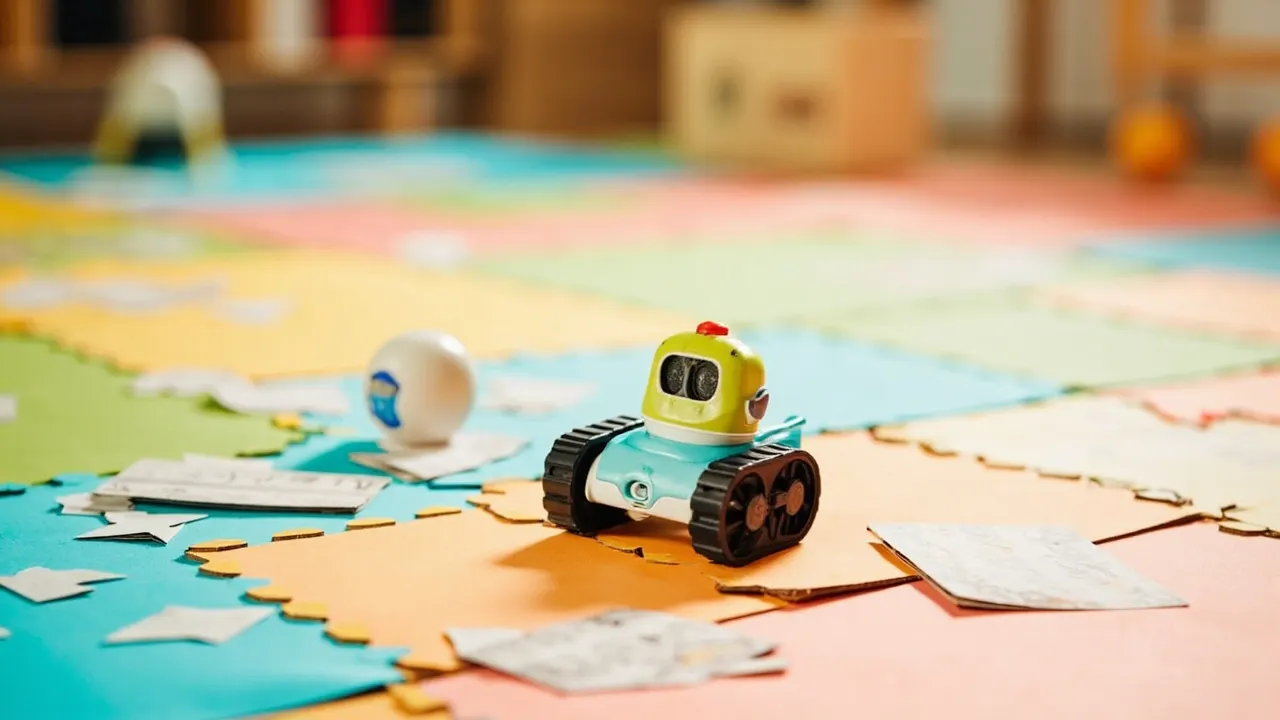
Your kid can already swipe through a tablet faster than you. Getting them to understand what’s happening inside it is harder. That’s where coding toys for kids come in: robots, games and little computers that teach sequencing, loops and debugging while it just feels like play.
The catch is that STEM coding toys have a short shelf life. Several toys on the first version of this list are gone: the Cozmo robot is rarely in stock since its original maker Anki shut down, and the Code-a-Pillar and Sphero SPRK+ have disappeared from Amazon. So we started over. Below are the coding toys you can actually buy now, sorted from preschool to preteen. I haven’t tested these myself, so I’ll tell you what the makers promise and what reviewers say.
Quick picks
- Best for preschoolers: Learning Resources Code & Go Robot Mouse
- Best screen-free robot: Botley 2.0
- Best board game: Robot Turtles
- Best for kids who love games: Game Builder Garage
- Best step toward real code: Sphero BOLT+
Fisher-Price Code ‘n Learn Kinderbot – coding for the very youngest
The Kinderbot is a friendly robot for preschoolers aged 3 to 6. Kids press the colored arrow buttons on its head to tell it where to go (forward, back, left, right), then press go and watch it follow their “code”. The buttons they pressed light up on its head, so they can see their program.
There are three ways to play: free coding, learning challenges and “secret codes” from the included booklet. Fisher-Price mixes in early math, shapes and colors, and it comes with four simple machine accessories.
The con: the challenges that make the robot drive a triangle or square can be too abstract for little kids, because the robot doesn’t draw the shape. The reviewers at Toy Portfolio suggest starting with plenty of free coding. Who it’s for: three- and four-year-olds who like things that move and beep. It’s the spiritual successor to the Code-a-Pillar that used to be on this list.
ThinkFun Robot Turtles – coding without any electronics
Robot Turtles is a board game that teaches programming to kids aged 4 and up, and it doesn’t need batteries or a screen. It was designed by programmer Dan Shapiro and started out as a big Kickstarter hit.
Each player gets a deck of code cards: forward, turn left, turn right. Kids play the cards to “program” their turtle to a jewel on the board. The grown-up moves the turtles, acting as the computer. Later on you add obstacles, a laser card and a Function Frog card that works like a reusable function. There’s even a Bug tile: tap it, shout “Bug!” and you get to undo a move. That’s more honest about coding than most toys.
The con: a grown-up has to play along, so it’s not a toy kids can do on their own. Who it’s for: families who want a screen-free game night that sneaks in some computer science. It works with 2 to 5 players.
Learning Resources Code & Go Robot Mouse – build a maze, find the cheese
The Code & Go Robot Mouse Activity Set is a screen-free coding toy for kids 4 and up. Kids build a maze, plan a route with coding cards, and then program Colby the mouse with the buttons on his back to find the cheese.
The activity set includes 16 maze grids that make a 20 x 20 inch board, 22 maze walls, 3 tunnels, 30 coding cards, 10 activity cards and the cheese wedge. Colby lights up, makes sounds and has two speeds.
The con: Colby runs on three AAA batteries that aren’t included (there’s also a newer rechargeable version), and you’ll be picking maze walls off the floor for a while. Who it’s for: preschoolers and kindergartners. It’s one of the easiest ways to show a small kid that the order of steps matters, and the cheese is a better motivator than any lesson plan.
Sphero indi – a car you program with colored cards
Sphero indi is a small robot car for kids aged 4 and up. Instead of buttons, you program it with colored cards. Indi drives over the cards on the floor and reads each color as an instruction: go forward, speed up, slow down or turn. Kids lay out the cards to build tracks and mazes, then watch whether indi makes it to the end.
The at-home learning kit comes with the robot, cards and stickers to customize it. When kids are ready, the free Sphero Edu Jr app adds drag-and-drop coding blocks.
The con: the screen-free part is great, but the next level happens in an app, so at some point the tablet comes out anyway. Who it’s for: kids who prefer building a track to pressing buttons. It’s also a nice step toward Sphero’s older robots, like the BOLT+ further down this list.
Learning Resources Botley 2.0 – the screen-free robot that grows with them
Botley 2.0 is the successor to Botley, a previous Toy of the Year winner from Learning Resources. It’s a little white robot that kids program with a separate remote programmer. There’s no phone or tablet involved.
On paper it’s surprisingly capable for a preschool toy. It can remember sequences of up to 150 steps, moves in six directions (including 45-degree turns), follows a black line and has a sensor that lights it up in the dark. The set comes with 40 coding cards that show kids what each command does.
The con: once kids master the remote, there’s no “next level” with real code, so it has a natural end date. Who it’s for: kids around 5 to 7 who have outgrown simpler robots. If you want obstacles and mazes too, the larger 78-piece activity set is the one to get.
Game Builder Garage – Nintendo teaches kids to make games
Kids who play video games often want to make them. Game Builder Garage for the Nintendo Switch is Nintendo’s answer. It’s a game about making games, with guided lessons that walk you through building small games step by step.
The programming happens with cute characters called Nodon. Each Nodon does one job, like “when this button is pressed” or “make this object jump”, and you connect them with wires. With one button press you flip between your code and the game itself, so you see right away what your change did. You can share what you make with other players.
The con: it needs a Switch, and there’s quite a bit of reading, so younger kids will need help. Who it’s for: gamers from around 8 up (and plenty of adults) who want to know how their favorite games work. It’s the least “educational-looking” toy on this list, which is exactly why it works.
BBC micro:bit V2 – a tiny real computer for school projects
The micro:bit is a pocket-sized computer board that started as a BBC project in the UK and is now used in schools in many countries. The V2 has 25 LEDs in a 5 x 5 grid, two buttons, a touch-sensitive logo, a built-in speaker and a microphone, plus pins to hook up extra electronics. The GO bundle adds a USB cable and a battery holder with batteries, so you can start right away.
Kids program it in the free online editors, starting with drag-and-drop blocks and moving to Python when they’re ready. Think digital dice, a step counter, or a little music box.
The con: it’s a bare board. Out of the box it does nothing until you write code for it, so kids need projects to follow or a grown-up to help them get started. Who it’s for: kids from about 8 up who want to make things, not just play with them.
Sphero BOLT+ – a coding robot ball with a screen
The old list had the Sphero SPRK+, a programmable robot in a clear ball. It’s gone, and the BOLT+ is the current version of that idea. It’s a waterproof robot ball with motors, sensors and a small LCD screen inside, which replaced the LED matrix of the earlier BOLT.
In the Sphero Edu app kids can drive it through mazes, draw a path for it to follow, code with drag-and-drop blocks, or move up to text coding in JavaScript and Python. That range is the big selling point: the same robot works for an 8-year-old and for a teenager. It charges wirelessly and wakes up when you shake it.
The con: it needs a phone, tablet or computer for all the coding, and it rolls under the couch at the worst possible moment. Who it’s for: kids from 8 up who want a robot they won’t outgrow in a year.
Makeblock mBot2 – build the robot, then program it
The mBot2 is a small robot on wheels that kids build themselves. It has an aluminum frame and comes with the tools you need. The brain is Makeblock’s CyberPi, a controller with a small color screen, Wi-Fi and Bluetooth, and a bunch of built-in sensors. The robot adds sensors for following lines, avoiding obstacles and spotting colors.
Kids program it in Makeblock’s mBlock software with Scratch-style blocks, and they can switch to Python later. Makeblock lists a 2,500 mAh battery that lasts about five hours and charges in about an hour over USB.
The con: the building is part of the fun, but younger kids will need help, and it’s more of a project than a toy you grab for ten minutes. Who it’s for: kids from about 8 to 14 who like building and want to understand how a real robot works, sensors and all.
How to choose a coding toy for kids
- Match the age, not the ambition. Ages 3 to 5: buttons and cards (Kinderbot, Code & Go Mouse, indi). Ages 5 to 7: Botley 2.0. Ages 8 and up: real coding with blocks, then text (micro:bit, BOLT+, mBot2).
- Screen-free or app-based? Screen-free toys are great for little kids. App-based toys go further, but they bring the tablet back.
- Look for a next step. A toy that goes from blocks to Python (BOLT+, micro:bit, mBot2) lasts years instead of months.
- Play along. Most kids get more out of these toys when a grown-up joins the first few sessions. Also, you might learn something.
FAQ
At what age should kids start learning to code?
Kids as young as 3 or 4 can learn the basic ideas, like putting steps in the right order, with screen-free toys like the Kinderbot or Robot Turtles. Typing real code usually makes more sense from around 8 or later.
What about LEGO coding sets?
The LEGO BOOST set from our old list didn’t make the cut this time, and LEGO Education stopped selling SPIKE Prime and SPIKE Essential on June 30, 2026. Its new Computer Science & AI kits started shipping in April 2026, but they’re aimed at classrooms, starting at $339.95 per kit.
Are coding toys worth it?
If your kid enjoys puzzles and building, yes. A coding toy won’t turn them into a software engineer, but it teaches them to break problems into steps and to fix their own mistakes. That’s useful for everything.
Got a Minecraft fan who’d rather build than code? Try the Pixel Cubes magnetic building set. For kids who’d rather make music, the Blipblox After Dark synth is a great first instrument, and gamers will love Mario Kart Live: Home Circuit.