Divoom Times Frame – a see-through desk display that looks like a sci-fi prop
As an Amazon Associate I earn from qualifying purchases. It costs you nothing extra.
My desk has a monitor, a laptop, a phone and a smartwatch. Four screens, and I still unlock my phone twenty times a day to check the weather. Clearly the answer is a fifth screen.
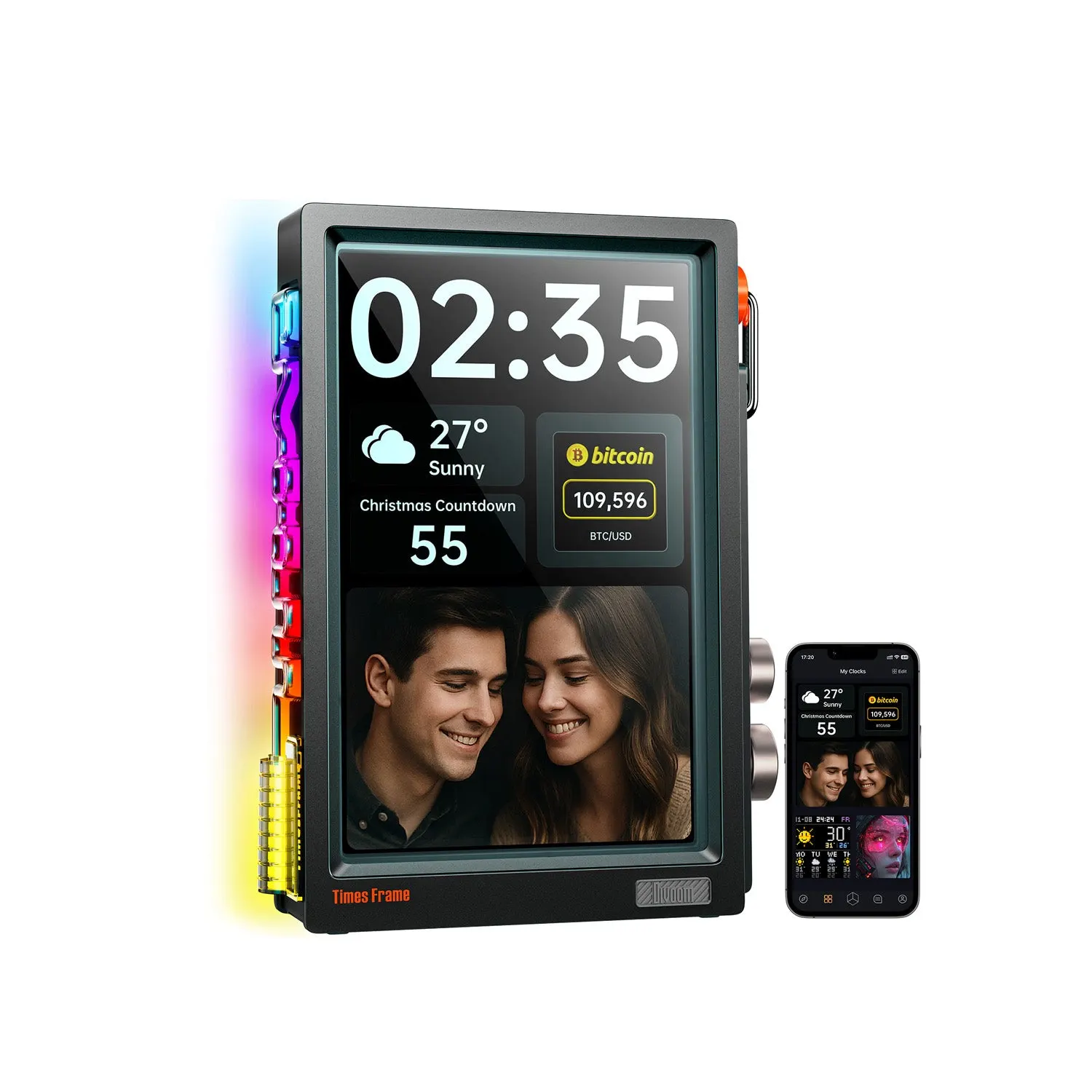
The Divoom Times Frame is a smart desk display with a transparent screen. It shows a clock, the weather, your calendar, stock prices and your photos, and it looks like it was borrowed from the set of a 1980s space movie.
I want one. I don’t need one. Those are different things.
What is the Divoom Times Frame?
Divoom is the company behind the Pixoo and Ditoo, the pixel-art speakers and displays you’ve probably seen on a gamer’s shelf. The Times Frame came out in summer 2025 and swaps the chunky pixels for a sharp screen.
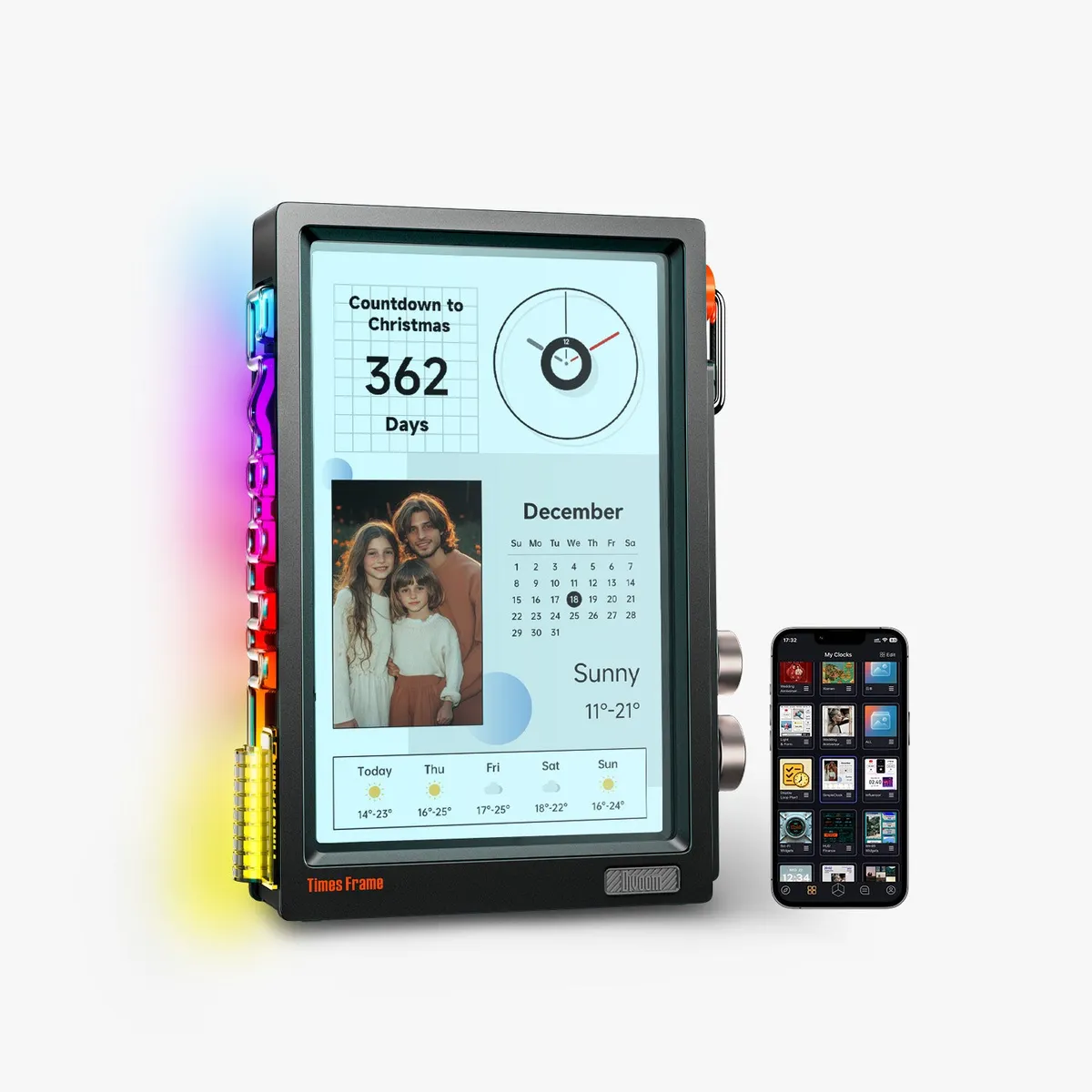
It’s an upright 10.1-inch IPS screen behind tempered glass that you can partly see through, so the image seems to float in its frame. Around it sits a boxy case with a fake carry handle on top, two knobs and two buttons on the right side, and a light strip on the left. It comes in Black, Pink and Beige.
How does it work?
You set it up on Wi-Fi with the free Divoom app. Then you pick from 400+ clock faces. Many of them mix the time with widgets: weather, a stock or crypto ticker, a countdown, a Pomodoro timer, a Google Calendar view or a photo slot. Or you run it as a plain digital photo frame and send it photos and short videos from your phone.
There’s 64GB of storage on board. Divoom says that’s room for 700,000+ photos or 6,000 minutes of video, and the slideshow keeps playing when the Wi-Fi drops. No subscription.
The big knob opens the clock face picker and the small one sets the brightness. There’s no battery, so it lives on a USB-C cable.
The good and the not-so-good
The good:
- The floating, see-through look. I haven’t seen a desk clock or photo frame that looks like this.
- Physical knobs. Switching faces doesn’t mean finding your phone.
- 64GB of local storage and no subscription.
- Julie Strietelmeier at The Gadgeteer found it easy to use, with a bright, vivid screen.
The not-so-good:
- The light comes out of the back too. One Amazon buyer compared it to a giant flashlight against the wall. Divoom includes a cardboard blocker for that.
- You can’t build your own layout from widgets, according to The Gadgeteer. You pick from the presets.
- It’s not a touchscreen, so the calendar is view-only.
- One buyer reports it comes with a cable but no power adapter. Divoom recommends a 5V/2A one.
Who is the Divoom Times Frame for?
Desk-setup people. The kind with a mechanical keyboard and opinions about cable management. It’s also a fun gift for someone who watches the stock market a bit too closely.
If you want a frame for grandma, get a normal one like the Aura Aspen. She does not need a bitcoin widget. If you like the idea of a smart clock but prefer pixels, look at the LaMetric Time. And to tidy up the rest of the desk, there’s the MOFT Smart Desk Mat.
Where can I buy the Divoom Times Frame?
Amazon US sells the Times Frame in all three colors. The black one was about 170 bucks at the time of writing (October 2026), down from a list price of about 200.
Put it on your desk, then pretend you’re piloting a spaceship between Zoom calls.